Add a NAS to your Office?
I ‘m about to show you how a device costing less than your monthly office coffee budget can solve the three biggest headaches plaguing small businesses today: lost files, slow/disorganized collaboration, & expensive data recovery. You’ll learn about NAS (Network Attached Storage) devices, their setup process, discover why traditional cloud storage might be costing you more than you realize, and learn the one configuration mistake that could leave your data vulnerable. Plus, I’ll talk about the surprising way this little box became the most reliable employee in our office!
Break Point: When File Chaos Nearly Killed Our Productivity
You know that moment when you realize your business is spending more time looking for files than actually working? That’s exactly where we were six months ago, and I’m going to show you the exact problems that pushed us over the edge. Our daily routine had become a frustrating cycle of hunting through email attachments, checking multiple cloud folders, and asking colleagues which version of a document was the correct one (and asking where it might be). What should have been a quick file file grab turned into 20 minute treasure hunts that happened multiple times every day.
The email chains were getting ridiculous. Someone would send a project file, then another team member would make changes and email it back with “FINAL” in the filename. Then we’d discover another version on someone’s desktop that was actually more recent, but it had a completely different naming convention (my absolute favourite ‘FINAL-FINAL’). We were spending entire mornings just trying to figure out our file. The constant back-and-forth emails created confusion, and important updates got buried in overflowing inboxes. We were using the Outlook email client as an unofficial file collaboration tool, a task for which it wasn’t designed. It was literally killing productivity, wasting time and ultimately costing money.
The breaking point came during a client presentation that should have been straightforward. Our project manager opened what he thought was the latest proposal document, only to discover mid-presentation that he was working from an iteration that was three weeks old! The client immediately noticed that none of their recent feedback had been incorporated, and we looked like unprofessional fools. That embarrassing moment cost us credibility and nearly lost us the project entirely.
After that disaster, I started roughly tracking how much time we were wasting on file management. The numbers were shocking. Each employee was spending at least thirty minutes a day just looking for files, confirming versions, or waiting for someone to email them the right document. With five team members, that’s two and a half hours of productive work lost daily. Over a month, we were losing more than fifty hours to file chaos alone.
The cloud storage solutions we’d tried seemed promising initially, but they created new headaches. Sync conflicts became a daily occurrence, especially when team members worked on the same files from different locations. Files would randomly duplicate with conflicting version labels, and we never knew which copy contained the most recent changes. The bandwidth limitations meant that accessing large files remotely was painfully slow, and upload speeds made sharing project folders with clients a frustrating experience. Lets not even start to talk about our monthly cloud bill!
When I calculated the actual cost of these inefficiencies, including missed deadlines and the time spent resolving version conflicts, the numbers made it clear that our current approach was costing us thousands in lost productivity. We needed a solution that would centralize our files, eliminate version control disasters, and give everyone reliable access to the right documents without the complexity of managing multiple cloud subscriptions. That’s when we started researching network attached storage devices.
The Magic NAS Solution: Why This Little Box Changed Everything
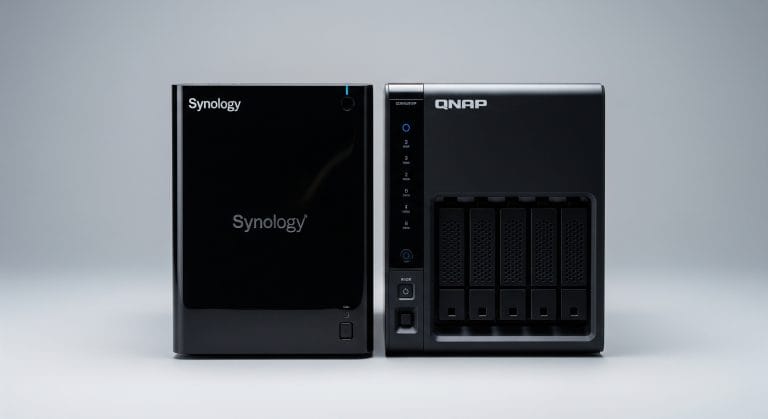
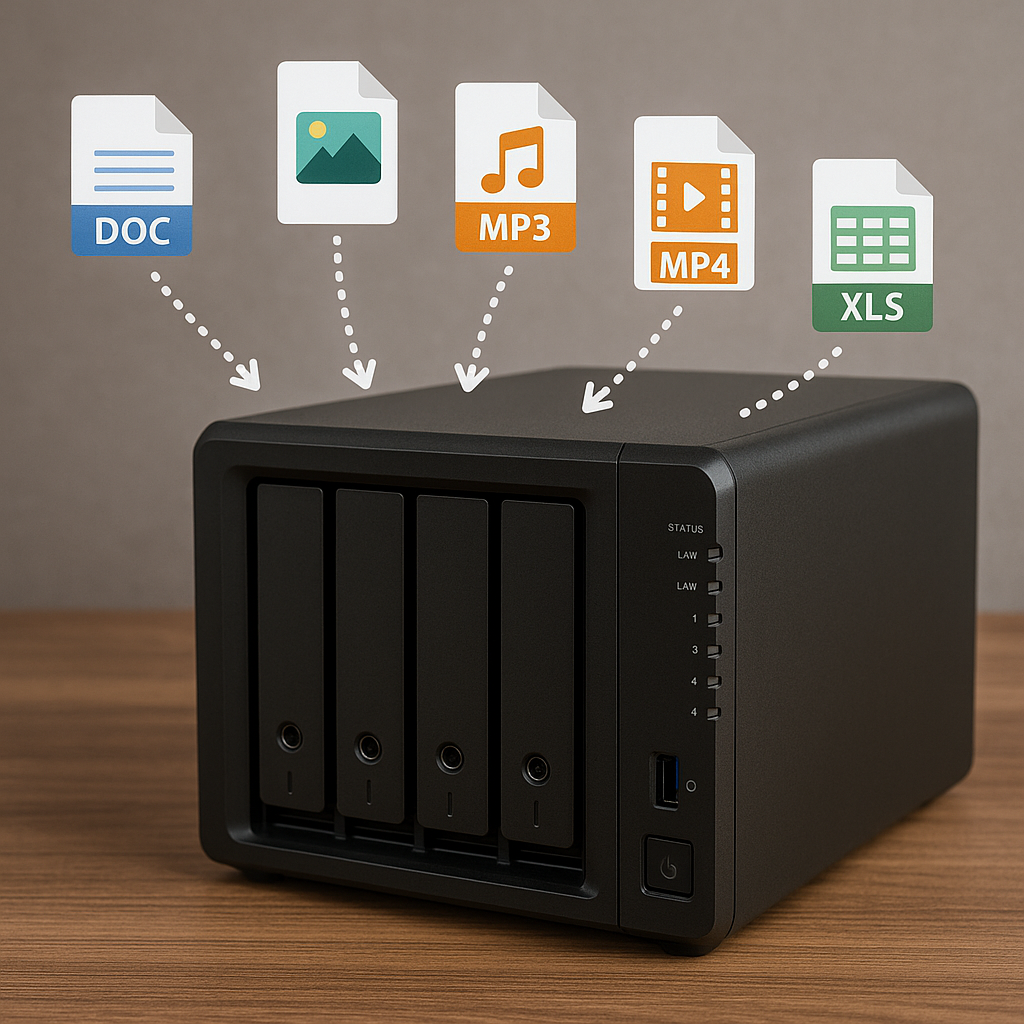
Here’s what nobody tells you about NAS devices – they’re not just storage boxes, they’re productivity multipliers, and I’ll show you exactly why our £500 investment eliminated problems that were costing us thousands. We ended up choosing a Synology two-bay NAS, and I have to say the decision came down to three key factors that made it perfect for our small business needs. First, it centralizes all our storage so everyone accesses the same files from the same location in-house. Second, it handles automatic backups without any intervention from us. Third, it gives our team secure remote access to everything they need, whether they’re working from home or meeting clients off-site.
We were skeptical at first. Would this really be better than just expanding our cloud storage subscriptions? Could something this affordable actually solve the enterprise-level problems we’d been struggling with? The cost comparison alone of NAS versus cloud subscriptions was striking. Instead of paying monthlies for multiple cloud accounts that kept growing more expensive, we’d make a one off investment and own our storage infrastructure. But the real advantage wasn’t just financial, it was having complete control over our sensitive client data and keeping everything in-house rather than trusting it to external servers.
What makes NAS devices different from traditional file servers is the network-attached approach. Instead of needing a dedicated computer running server software, the NAS connects directly to your network and makes files accessible to any permitted device automatically. You don’t need IT staff to manage it, and there’s no complex server configuration to worry about. It just works! A beautiful advantage of this is that traditional servers consume huge amounts of electricity and are so noisy that they need housing in a separate room. Our new Synology NAS needs less than 20 watts of juice when in use and less than 5 watts when hibernating. Oh, and its as quiet as an average router, so if you have a library, you could install a NAS in it!
The features that really sold us were the RAID protection and round the clock operation capability. RAID 1 mirrors our data across both drives, so if one fails, we don’t lose anything (Plus we setup the NAS to backup nightly to the Synology Cloud which gives us another layer of protection for our data). The device runs continuously, so files are always available when team members need them. But here’s what surprised us – you can run additional applications on most NAS devices. Ours handles automated backup routines, and we’ve even set up surveillance monitoring for our office space with a compatible network camera, all included with the software at no extra cost.
The reliability factor was a massive consideration for us. NAS drives are specifically designed for continuous operation in networked environments, with vibration resistance and advanced error recovery controls that standard computer drives don’t have. In fact, when youre shopping for a couple of hard drives to drop into your NAS, you will quickly discover that standard hard drives are a no-no. You will be looking for NAS grade hard drives. They might look the same and have the same connectors etc, but NAS drives are a completely different beast. NAS-grade hard drives are designed for 24/7 operation, have better heat resistance, vibration resistance, and RAID optimization making them more reliable, durable & power-efficient than normal desktop drives. This means less worry about hardware failures disrupting our workflow.
In use we discovered that a NAS box isn’t just file storage, it’s more of a business infrastructure upgrade that assists with many areas in the business. The NAS became our central hub for collaboration, backup, remote access & storage for our security cameras, all while reducing our ongoing cloud storage costs.
Now let me walk you through exactly how we set it up and the immediate changes we benefited from.
Implementation Reality: The Setup Process and Immediate Impact
I’m about to walk you through our actual NAS setup process, including the one configuration mistake that almost derailed everything and the immediate changes our team noticed within hours of going live. The physical installation was honestly simpler than I expected. We unboxed the Synology unit, slotted in two Western Digital Red drives designed specifically for NAS use, connected an ethernet cable to our router, and plugged it in. The whole physical setup took maybe fifteen minutes, which surprised me given how much I’d been overthinking it.
Having said that the physical configuration was straightforward, the software configuration is more complex. The initial configuration happens through a web interface that walks you through each step. You just type the NAS’s IP address into your browser, and it launches a setup wizard that’s actually quite straightforward. However, here’s where we hit our one major snag – the RAID configuration screen. I initially selected RAID 0 thinking it would give us faster performance, not realizing it provides no data protection whatsoever. Fortunately, I caught this mistake before migrating any important files, but it taught me to research RAID levels properly. We switched to RAID 1, which mirrors data across both drives for complete protection.
Setting up user accounts shared folders and folder permissions took more thought than I anticipated. We created individual user accounts for each team member, then established shared folders for projects with specific access permissions. (Think about it, the HR folder should only be accessibly by the boss and HR. Who wants to know in advance they are going to get fired!) The remote access setup required configuring the router to allow external connections, but the NAS software guided us through this without needing any networking expertise.
The process of moving our files from the cloud onto the NAS was where we really had to slow down and think strategically. Instead of just dumping everything into one massive folder, we organized files by project type, client, and date. We pulled files from individual computers, consolidated material from three different cloud services, and established a logical folder structure that everyone could navigate intuitively. This took the better part of a weekend, but the organization we implemented saved us countless hours later. My advice is spend a bit of time thinking about what folders to create and who to share them with. It will pay off massive dividends in increased productivity in the months and years ahead.
The immediate changes were remarkable. Documents and file access became almost instant. No more waiting for someone to email the latest version or asking which folder contained the right presentation. Project collaboration became easier: multiple people could work on documents simultaneously without the sync conflicts that plagued our cloud storage setup.
Remote access transformed how we handled client meetings and off-site work. Team members could securely access any file from their home computers or mobile devices without the bandwidth limitations we’d experienced with cloud services. Note however this again takes a bit of know how and research to get setup correctly. The automatic backup routines eliminated worry about data loss. Within just a few days, the NAS had become so integral to our operations that we wondered how we’d managed without it for so long. Cliched, I know!
6 Months Later? The Transformation Nobody Expected
Six months after installing our NAS, I can say that it didn’t just solve our file problems, it fundamentally changed how we operate as a business, and the results surprised even me. The measurable improvements have been remarkable. We’ve seen an approximate 40% reduction in time spent on file management tasks, completely eliminated version control conflicts, and increased our remote work efficiency to the point where location has become irrelevant for productivity. Team members now spend their time on actual work instead of hunting for documents or resolving sync issues.
We did encounter some unexpected challenges during this period. Network traffic increased significantly during peak backup times, especially when multiple team members were accessing large project files simultaneously. This necessitated replacement of older cat 5 cabling and a switch with upgraded faster cat 6 counterparts. A couple of our team members needed extra time to adapt to the new system, particularly those who’d grown comfortable with their old folder structures on their machines. We also had to consider bandwidth limitations for remote access, especially when team members were working with video files or large design projects from home connections. The result here was again an upgrade to the latest ‘full fibre’ broadband.
The long-term benefits became more apparent as months passed. The automated backup routines eliminated that constant background anxiety about data loss that we’d all carried for years. When we hired a new employee, getting them set up with access to the necessary files took minutes instead of the hours we’d previously spent copying folders and explaining our chaotic file organization.
What really surprised us was how the NAS evolved beyond basic file storage. We set up automated client file sharing that lets us securely provide project updates without cumbersome email attachments. External partners can now collaborate on documents through secure access without compromising our internal systems. As I said we even implemented basic surveillance monitoring for our office space using the NAS, which consolidated what would have been separate spending for DVR or NVR recorder.
The financial impact has been substantial. We’ve saved over sixty percent on cloud storage subscriptions while gaining much better functionality. Having complete control over our data security gives us peace of mind that external cloud services never provided, especially when handling sensitive client information. The remote access capabilities have proved invaluable. There are numerous occasions when our entire team has been able to continue working normally from home without any disruption to client projects.
Perhaps most surprising is how integral the NAS became to operations we hadn’t even considered. Just have a look at the Synology Apps that can be installed (they call them ‘add-on packages’). Theres everything from calendars, chat servers to a Google Photos replacement (Synology Photos) to a mail server! You can even install WordPress and host your own website on a Synology NAS!
If you’re spending more than an hour a week dealing with file management issues, calculate what that time costs your business and compare it to a NAS investment. Budget around the price of good laptop for the NAS itself and 2 hard drives to install in it. The question isn’t whether you can afford to implement proper file management – it’s whether you can afford to keep losing productivity to disorganized data. Show your data who’s the boss!